The beauty of collecting stickers is that your personal style isn’t static—it evolves. You might start with a sleek minimalist theme, but then you spot a gorgeous anime pack or a vibrant retro gaming collection while browsing for sticker packs online. Suddenly, you want to showcase both worlds on your laptop, notebook, or travel gear.
However, this introduces a major creative challenge: how do you mix entirely different sticker packs without making your gear look like a messy, unorganized accident?
Most sticker advice tells you to stick to one single theme forever. But the real secret to a pro-level setup is knowing how to intentionally cross-pollinate different visual styles. By using precisely curated packs of 6 or 10, you can blend diverse subcultures into a clean, unified masterpiece. Here is your ultimate playbook for mixing themes flawlessly.
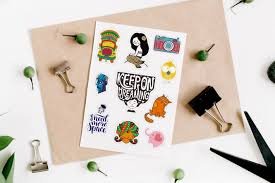
The Rule of Two: Finding the Perfect Concept Match
When mixing different sticker packs online, don’t just grab five different random bundles. Limit yourself to pairing exactly two contrasting themes at a time. This keeps your design focused while providing a striking visual contrast.
1. The “Cyber-Organic” Blend (Tech + Nature)
Try pairing a sharp, neon cyberpunk pack of 6 with a soft, botanical cottagecore pack of 6. The cold, geometric tech lines create an incredible, high-contrast frame when layered against soft greens, delicate leaves, and floral illustrations.
2. The “Retro-Modern” Fusion (Vaporwave + Minimalism)
Combine a bright, high-energy 90s retro arcade pack of 10 with a super-clean, black-and-white minimalist line-art pack. The monochrome designs act as a visual anchor, grounding the loud, vibrant retro colors so they don’t overwhelm the eyes.
Advanced Layout Formulas for Blending Sets
Once you have selected your two packs, do not just scatter them across your device evenly. Use these layout formulas to give the eye a clear path to follow:
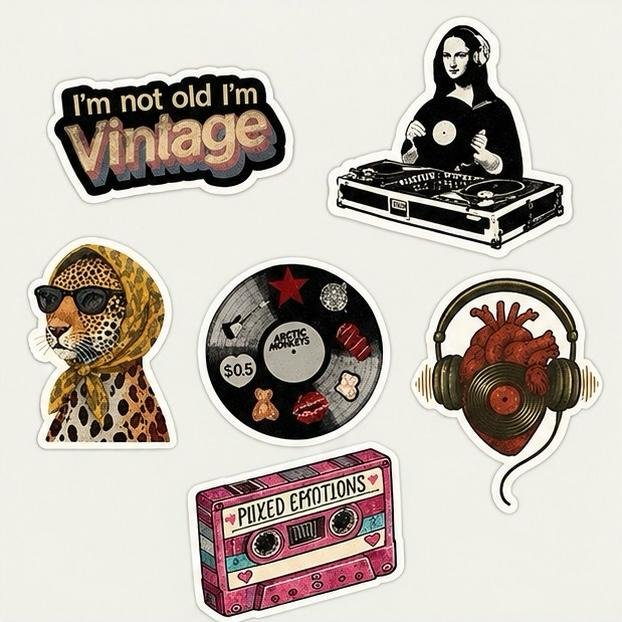
Formula A: The Anchor and Accent Layout (Using a 6 + 10 Mix)
Take 2 or 3 larger, bold pieces from your pack of 6 to serve as your “Anchor” points. Place them in dominant positions, like the bottom corner or dead center. Then, take the smaller, intricate elements from your pack of 10 and scatter them around the anchors as supporting “Accents” to fill the negative space gracefully.
Formula B: The Split-Lid Horizon
Divide your laptop surface diagonally or horizontally. Dedicate one half entirely to your first theme (e.g., moody monochrome graphics) and let it gradually transition or overlap into your second theme (e.g., vivid abstract art) on the other side.
Texture Matching: Glossy vs. Matte Material Blends
When combining different collections, the physical texture of the premium vinyl plays a massive role in how the overall layout catches the light.
| Combination Strategy | Visual Result | Best Used For |
|---|---|---|
| All-Matte Layout | A flat, smooth, anti-glare finish where both packs seamlessly melt into the surface. | Clean workspace aesthetics, text-heavy designs, and pastel color schemes. |
| All-Glossy Layout | A brilliant, high-shine surface where both themes pop with intense color depth. | Bold streetwear aesthetics, action illustrations, and skateboards. |
| The Texture Clash | Placing a high-gloss design directly on top of a flat matte background to create a 3D effect. | Highlighting a rare favorite sticker as the crown jewel of your layout. |
How to Test Your Layout Before Sticking
Because premium vinyl features a high-tack adhesive meant for a strong, long-term bond, you want to get your arrangement right on the first try. Follow this quick blueprint to audition your design risk-free:
- Leave the Backing On: Keep the paper backings intact on all pieces from both packs.
- Use Removable Tape: Place a tiny loop of basic painters tape or masking tape on the back of each decal.
- Arrange and Photograph: Arrange your mixed layout on your laptop lid, step back, and take a quick photo with your phone. Viewing the layout on a screen instantly reveals if one side feels too heavy or if the colors clash.
Frequently Asked Questions (FAQs)
Will mixing stickers from different online brands look weird?
Not if you focus on color or design style harmony. As long as you maintain a consistent quality—like ensuring all pieces are premium, fade-resistant PVC vinyl—different art styles can look like a highly intentional, high-end collage.
Can I mix a pack of 6 and a pack of 10 together?
Yes! In fact, this is the perfect ratio. The pack of 6 usually provides great primary focal designs, while the pack of 10 gives you plenty of versatile accent pieces to create layers and depth.
How do I ensure the mixed stickers don’t peel at the corners?
Always clean your device surface with rubbing alcohol to remove skin oils before applying. When overlapping two stickers, ensure the top decal is pressed down firmly onto a flat area of the bottom vinyl, avoiding deep ridges or air gaps.
What should I do with the leftover stickers from both packs?
Save them in a dry envelope or pocket journal. Since they are premium weather-resistant vinyl, they will stay fresh indefinitely, allowing you to use them later to accent a water bottle, notebook, or bike helmet.